Kill switch
Downloads stop the instant the tunnel does. Enforced at the firewall, on hardware you own.
Homeward is the VPN that goes both ways. Make your own home the exit the internet sees, or step out through an exit anywhere else. One app, one switch, and your whole household rides along.
For Mac and iPhone. macOS 15 or later. From Epiphani Studios.
A commercial VPN puts you in a datacenter in Amsterdam or Atlanta. That is useful, and Homeward does it too. But think about the trips that actually go wrong online: your bank challenges the sign-in because your address suddenly says another country. Your streaming home library shrinks the day you land. The Mac in your office holds the file you need, and it may as well be on the moon. A datacenter exit fixes none of that, because none of it is about hiding. It is about being home.
Your house already has the one address your accounts know, your services trust, and your family shares. Homeward makes it a place you can be from anywhere.
Day two of the trip, and the account you need most decides your session looks wrong: new country, new network, prove yourself again. From your home connection, you look like you, because you are coming from the place your accounts have seen every day for years.
Streaming services increasingly tie what you can watch to where your household is. Your home network is the household. Connect through it and you are watching from your own living room, wherever the couch actually is that night.
The file is on the machine at home. So is the scanner, the printer, the photo library, and the backup drive. In Home mode they are all one tap away, exactly as if you were on your own Wi-Fi, because as far as your network can tell, you are.
Hotel and airport Wi-Fi is a room full of strangers. Homeward notices you joined a network you never trusted and closes the tunnel around your traffic before your first app finishes loading.
Homeward runs a WireGuard-class tunnel with your own Mac at one end. Flip the switch and choose the direction.
Your traffic steps onto the internet from your own living room, carrying the home address your accounts already know. Your network drives, printer, cameras, and smart home answer as if you were on the couch.
Everything a commercial VPN does: pick an exit country, hide your address from the coffee shop, and keep a kill switch between your downloads and the open network. Bring the exit provider you prefer.
Only your house rides the tunnel: browsing stays local and fast, while your home devices stay one tap away. The mode for the whole workday abroad.
Running your own exit sounds like a weekend of network engineering. Homeward turns it into three steps, and the app does the hard two.
Any Mac on macOS 15 or later works: the one in the office, the Mini behind the TV. The setup wizard in Settings turns it into the family exit, generates its keys, and starts the tunnel server. It keeps running as a background service, survives restarts, and reasserts itself after an update.
The one step that lives outside the app is telling your router to pass the tunnel port through, and the wizard walks you to it: it names your gateway, opens its admin page for you, and verifies the result from outside your network, so you know it took before you pack a bag. Your home address changing is handled too: Homeward keeps a name pointed at your house and refreshes it automatically when your provider moves you.
Each phone, iPad, and laptop joins by scanning its own code. Every device gets its own key and its own address inside the tunnel, so one lost phone is one revoked key, never a shared secret to rotate across the family.
Stuck anywhere? The concierge answers setup questions inside the app, in plain language, immediately. It knows which step you are on and nothing else about you.
Name the networks you trust and Homeward connects itself everywhere else: the airport, the hotel, the cafe. It notices the Wi-Fi you join and offers to learn it, so the rules end up written by your week, and the toggle stays where you left it. Pause for 10, 30, or 60 minutes and it comes back by itself.
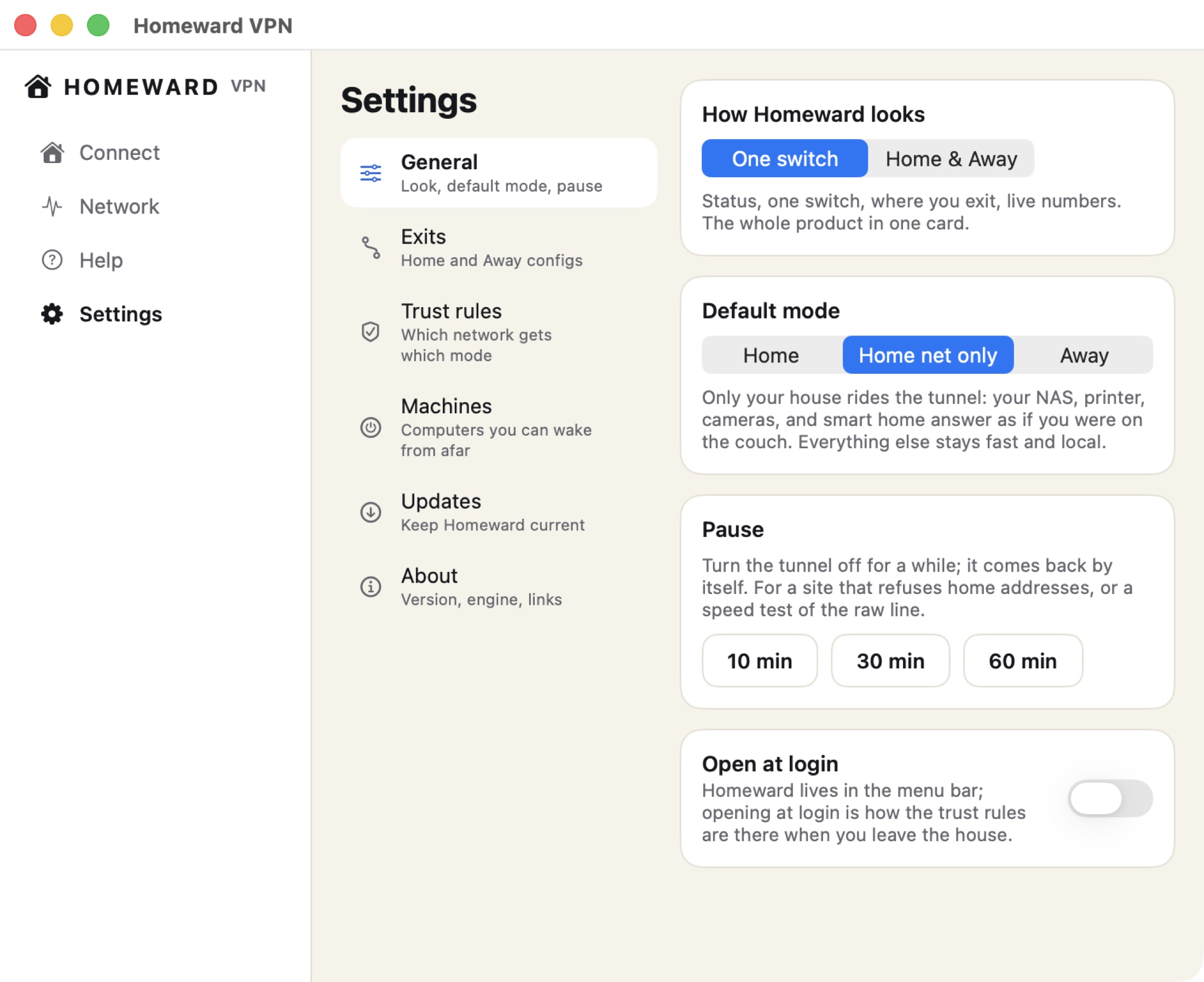
When a connection feels slow, Homeward tells you why in a sentence: your Wi-Fi, the tunnel, your line, or the site. The Network tab runs a real check, shows the tunnel's own receipt of handshakes and bytes moved, and asks your house whether it is ready before you leave: power connected, sleep prevented, server answering.
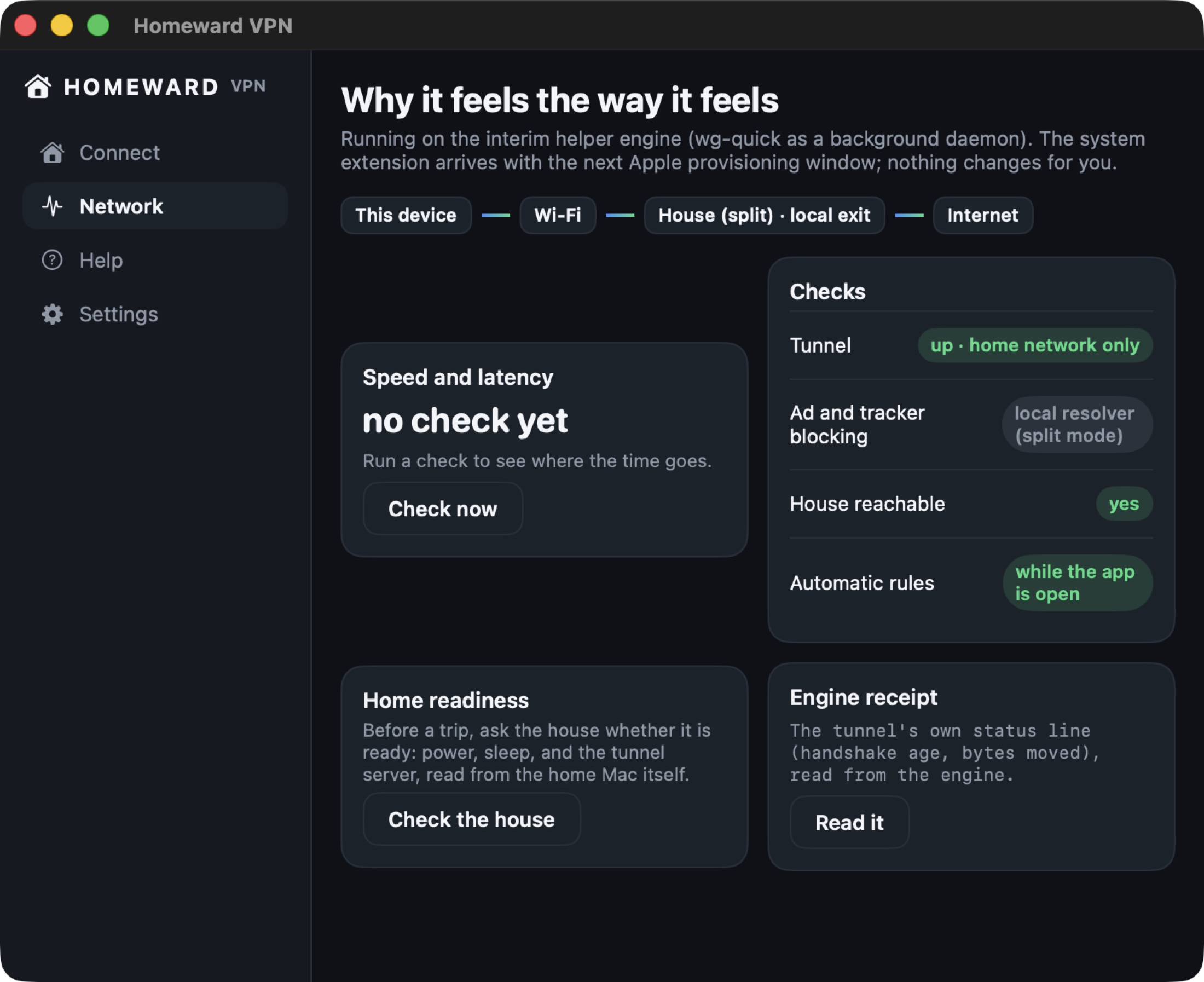
The Connect tab shows what is riding the tunnel right now, which network you are on, and whether your house is reachable, with live chips instead of a mystery shield. If the home leg ever drops mid-trip, Homeward fails over to your Away exit and tells you so in a banner, and it can send a wake-up call to your Mac through the tunnel and have the house back in seconds.
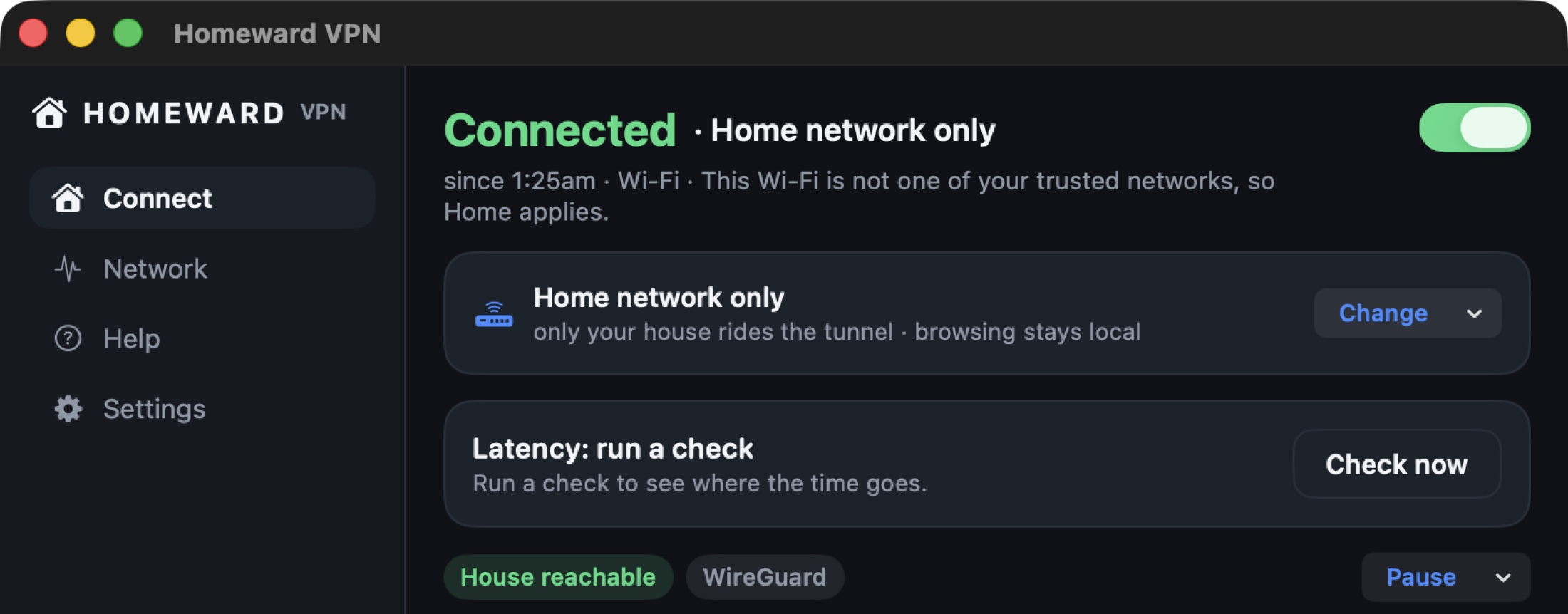
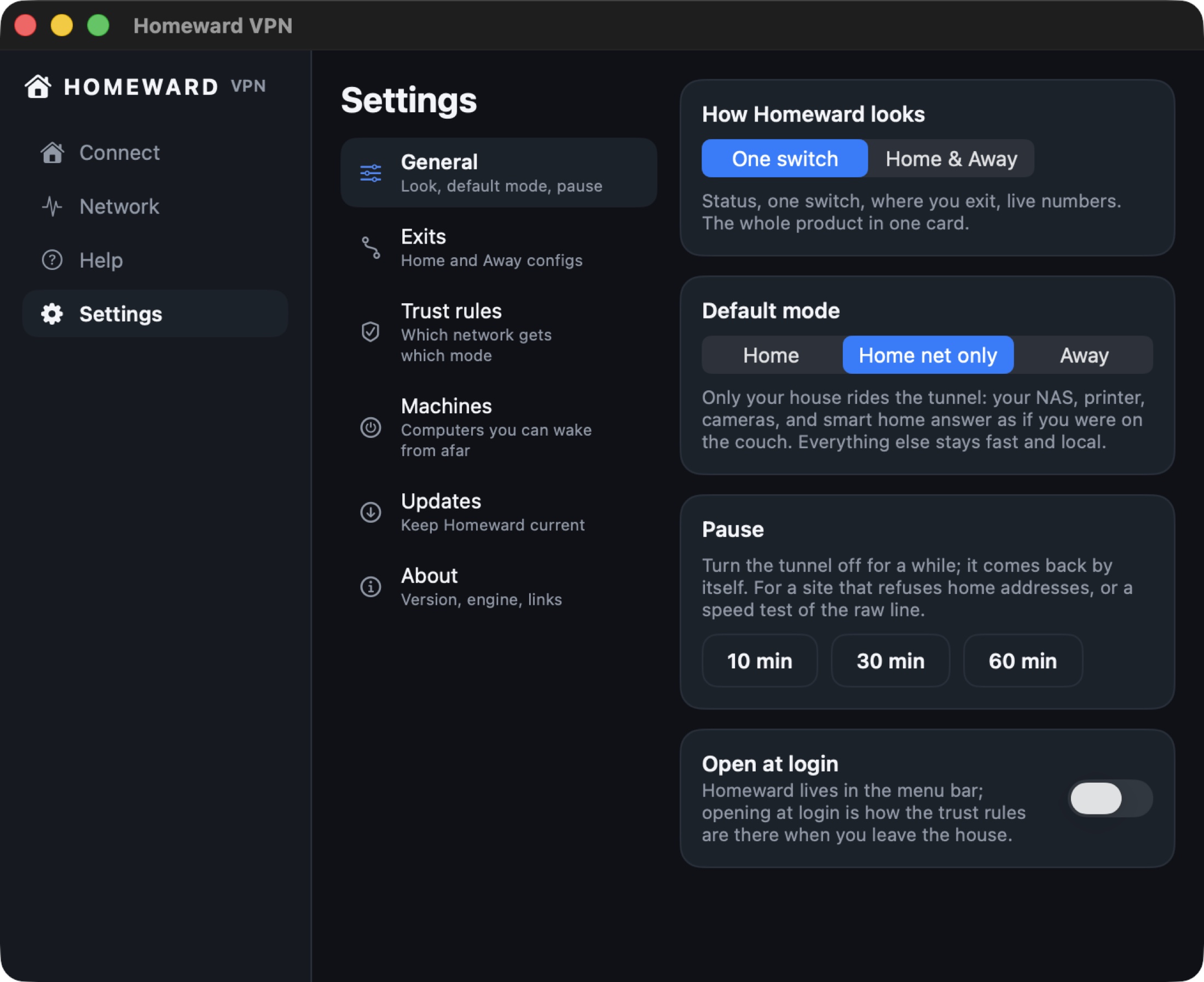
Homeward lives in the menu bar with a glyph that shows your mode at a glance, and it stays out of your way on purpose. Pause it for 10, 30, or 60 minutes for the one site that refuses tunnels, and it returns by itself instead of leaving you unprotected because you forgot. Connect and disconnect from Shortcuts, a hotkey, or Siri. Updates install themselves in the background without taking your focus, so the version you run is the current one. The whole product is designed around one idea: protection you do not have to remember is the only kind that holds up over a year.
Downloads stop the instant the tunnel does. Enforced at the firewall, on hardware you own.
Filtered resolvers ride the home tunnel, so the whole family browses lighter.
Every phone and iPad in the house joins with a scan, each with its own key and per-person filtering.
A magic packet through the tunnel, from a tile or a Siri shortcut.
Connect, disconnect, and pause from Shortcuts and the menu bar glyph that shows your mode.
Setup questions answered in the app, in plain language, at concierge.homewardvpn.com.
New builds install themselves while you work, without taking your focus.
Away mode speaks standard WireGuard, so dozens of exit countries come with your provider.
Most VPNs are built for a person. Homeward is built for a household. Every phone, iPad, and laptop in the family joins the same house with a scan, and each one carries its own key and its own identity inside the tunnel, so trust is granted and revoked per device, never shared as one secret everyone knows.
Because the family browses through home, home rules travel with them. The ad and tracker filtering you set at the house rides along to school Wi-Fi and hotel networks, per person: what filters the eight-year-old's iPad is not what filters yours. The teenager abroad for a semester still streams the family library, prints to the family printer, and shows up on the network like they came downstairs for breakfast. And when a device is lost, you revoke that one key and the house forgets it, while everyone else stays connected.
Coming home is the half nobody else has. Going out is the half everyone measures, and Homeward gives up nothing there. Away mode runs the same WireGuard engine outward through the exit provider you choose: pick a country, get a fresh address, and browse from Amsterdam or Atlanta with the kill switch armed underneath. Because it speaks the standard config format, dozens of exit countries come with whichever provider you already like, and switching providers is pasting a file, never re-buying an app.
The same trust rules drive both directions: trusted networks stay direct, unknown ones connect automatically, and the failover that guards your home leg guards your away leg too. One product, both directions, no second app to learn.
Two weeks away, and your sign-ins, shows, and home cameras behave like you never left the couch. Before you fly, the readiness check confirms the house is set.
Untrusted Wi-Fi means Homeward is already on before your inbox loads. Your traffic leaves from your own house, on the network you paid for and control.
Scan the family code once and that iPad browses through home wherever it goes, with the same filtering it gets in the kitchen.
At the in-laws for a month? Your whole digital life stays addressed at home: the printer prints, the NAS mounts, the media library streams.
For the reader who wants to know exactly what is running, here is the machine under the paint.
The tunnel is WireGuard: a few thousand lines of audited cryptography instead of the hundred-thousand-line legacy stacks, with modern curves and a handshake that recovers in milliseconds when you hop networks. Homeward speaks it natively on both platforms, which is also why Away mode works with any provider that can export a standard configuration file: the format is the industry's, and your exits are never locked to us.
Keys are minted on your devices and live in the platform keychain, never in a file you could accidentally sync somewhere. Each family device holds its own identity, so access is granted and revoked per device, per person.
On the home Mac, the exit runs as a background service with the operating system's own firewall doing enforcement: address translation for the family's tunnel traffic, and a kill-switch anchor that drops non-tunnel egress the moment the tunnel goes down, at the packet filter rather than in app code. The wake relay is a tiny user-level agent that turns a tunnel message into a magic packet on your home network.
And the app tells you what all of it is doing: the engine receipt shows the tunnel's own numbers, handshake age and bytes moved, read from the engine rather than asserted by the interface. When the app says connected, it is quoting the tunnel, never guessing.
A commercial VPN stops at its own servers. Homeward does not, because one of its exits is your house.
| Capability | Homeward | NordVPN | ExpressVPN | Proton VPN | Mullvad | Tailscale |
|---|---|---|---|---|---|---|
| Your own home as the exit | Yes | No | No | No | No | Yes, as developer mesh tooling |
| Commercial exits by country | Yes, bring your provider | Yes | Yes | Yes | Yes | Via Mullvad add-on |
| Reach your own devices from anywhere | Yes | No | No | No | No | Yes |
| Wi-Fi trust rules that learn | Yes | Auto-connect only | Auto-connect only | Auto-connect only | No | No |
| Plain-language speed diagnosis | Yes | No | No | No | No | No |
| Wake your home Mac remotely | Yes | No | No | No | No | No |
| Per-person family filtering at home | Yes | Generic blocking | Generic blocking | Generic blocking | DNS options | No |
| Kill switch and leak protection | Yes | Yes | Yes | Yes | Yes | No |
| Price that renews at the same number | Yes | Promotional terms, see their page | Promotional terms, see their page | Promotional terms, see their page | Yes, €5/month | Free for personal use |
Capability cells reflect each vendor's own published feature lists, read August 2026 during our 26-app category study. Prices read off vendor pages on August 20, 2026: Mullvad €5 per month, flat; Tailscale free for personal use; NordVPN, ExpressVPN, and Proton VPN price by promotional term on their own pages.
In Home mode, both ends of the tunnel are hardware you own. Your traffic goes from your laptop to your house and out your own line, straight between your own devices. You can walk over and look at the machine.
The setup concierge answers questions with your setup state only: which step you are on, never what you browse. Keys are minted on your devices and stay in the keychain. Homeward's job is moving your packets, and it is nobody's business where they go, including ours.
Away mode is different by nature, and the app says so instead of blurring it: your traffic exits through the provider you chose, under that provider's published policy, which Homeward links right next to the exit. You pick the company you extend that trust to, and you can change your mind by pasting a different config. Two directions, two different trust stories, both stated where you make the choice.
Homeward comes from Epiphani Studios, the independent studio behind a family of native Mac and iPhone tools, and it exists because we wanted it: our own household's phones, iPads, and laptops ride a Homeward tunnel to our own house every day. That is why the details on this page are the kind only a daily user would build: a readiness check you run before a trip, a failover that explains itself, a wake-up call for the Mac that fell asleep. Updates ship continuously and install in the background, without taking your focus to tell you about themselves.
The renewal price is the price you joined at. No introductory teaser that doubles in year two, and the home direction costs nothing because the hardware is yours.
Three layers answer this. Before you leave, the readiness check confirms power is connected and sleep is prevented. If the house still drops mid-trip, Homeward fails over to your Away exit instantly and says so in a banner, so you are never simply offline. And you can send a wake-up call through the tunnel to bring the Mac back yourself.
The setup wizard walks your home Mac through becoming the family exit, step by step, and the in-app concierge answers questions in plain language as you go. If you can install an app and scan a code, you can run your own exit.
In Home mode, nothing: both ends of the tunnel are hardware you own, and your traffic exits your own line. The concierge receives setup state only, such as which step you are on. In Away mode, your traffic exits through the provider you chose, under that provider's policy, which is linked in the app.
A regular VPN only goes outward, to its own servers. Homeward also goes homeward: your own house is a first-class exit, which is what makes your accounts, media, and devices behave like you are there. The outward direction is still included, so you give nothing up.
Homeward runs WireGuard, the same protocol the major commercial VPNs run their fastest tiers on. And when anything does feel slow, the Network tab measures it and tells you which link is the reason, in a sentence rather than a graph.
Yes, that is half the point. Each person's phone or iPad joins with a scan, gets its own key, and browses through home with per-person filtering wherever they are. The Family plan covers six people and all their devices.
No. Homeward keeps a name pointed at your house and refreshes it automatically whenever your provider hands you a new address, so your devices dial the name and always find home. You never type an IP address, and you never notice the change.
No. The exit is a Mac you already own, running as a background service while the machine goes about its normal life. There is no box to buy, rack, or replace, and no monthly fee for the home direction.
You may not have to give anything up to try it: Away mode imports the standard WireGuard config your current provider already exports, so your existing subscription can become Homeward's outward exit. What you gain on day one is the direction no subscription sells: your own house, with your devices, your filtering, and your address.
The wizard names your gateway, opens its admin page for you, tells you exactly what to allow, and then verifies the result from outside your network. One step, checked, done once.
Both. The tunnel rides any network your device has, and WireGuard's handshake survives the hop from Wi-Fi to cellular and back without dropping your session, which is exactly the moment older protocols fall over. Trust rules treat cellular as its own kind of network, so your away-from-home protection follows you off Wi-Fi too.
Mac (macOS 15 or later) and iPhone. The Mac app is a native menu-bar-and-window app, updated automatically in the background.
Homeward turns it into the place you can be from anywhere, and the one exit on the internet with your name on the deed. Set it up once, and every trip after that starts from home.
Download for MacOnly one of them can take you home. Read the closing case in 20 seconds.
The bottom line